DKIM explained: signatures, selectors and keys
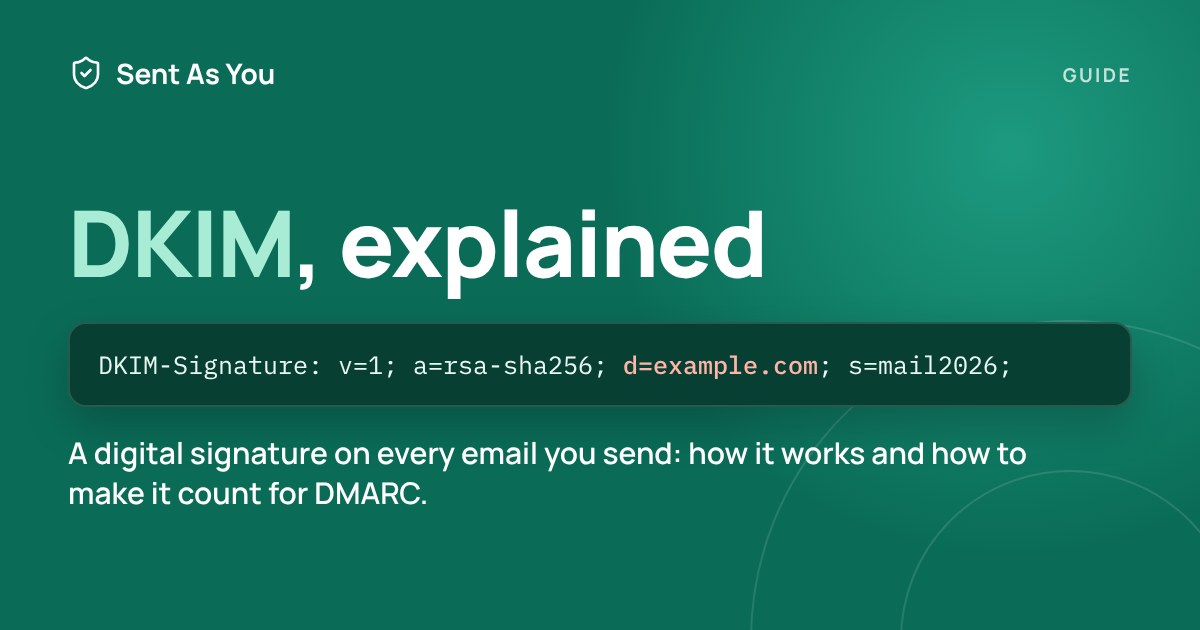
DKIM, DomainKeys Identified Mail, lets a receiving server confirm two things about a message: that a specific domain took responsibility for it, and that it was not changed on the way. It does this with a digital signature. Of the three authentication standards it is the most robust, because the proof travels inside the message itself.
How DKIM works
DKIM uses a pair of keys. The private key stays with the sending server. The public key is published in your DNS, where anyone can read it.
- When you send a message, the server calculates a fingerprint of the body and of selected headers, such as From, Subject and Date.
- It signs that fingerprint with the private key and adds the result to the message as a
DKIM-Signatureheader. - The receiving server reads the header, fetches your public key from DNS and verifies the signature.
If the signature verifies, the message was signed by someone holding your private key and the signed parts have not been altered. If a single signed character changed, verification fails.
Reading a DKIM signature
A signature header looks like this, shortened:
DKIM-Signature: v=1; a=rsa-sha256; d=example.com; s=mail2026;
h=from:to:subject:date; bh=2jUSOH9N...; b=AuUoFEfD...| Tag | Meaning |
|---|---|
d= | The domain that signed the message. This is the one that matters for DMARC. |
s= | The selector, which says which key to fetch. |
h= | The headers covered by the signature. |
bh= | The fingerprint of the body. |
b= | The signature itself. |
What a selector is
A domain can have many DKIM keys at once. The selector is the label that tells the receiver which one to use. The public key lives at:
mail2026._domainkey.example.comSelectors are what make DKIM practical. Each service that sends for you gets its own selector and key, so your mailbox provider, your newsletter tool and your billing system never share a secret. They also let you replace a key without downtime: publish a new selector, switch signing to it, and remove the old one later.
DKIM and DMARC: the alignment trap
Here is the detail that catches most people. DKIM passes whenever the signature is valid, whatever domain signed it. Many email services sign your mail with their own domain by default. The signature is valid and DKIM passes, but the d= domain is theirs.
DMARC only counts DKIM when the d= domain matches the domain in your From address. So a message can show "DKIM: pass" in the headers and still fail DMARC.
The fix is in the settings of each service, usually under a name like "domain authentication" or "custom DKIM". You add two or three CNAME or TXT records to your DNS, and the service starts signing with your domain. This is the single most common repair when working through DMARC reports.
Key length
Use 2048-bit RSA keys. The standard requires signers to use at least 1024 bits and recommends 2048, and it tells receivers to treat signatures made with shorter keys as invalid. A 1024-bit key still verifies today, but it is widely seen as too weak to rely on for years.
A 2048-bit key is longer than a single DNS text string allows, so it has to be split into several quoted parts within one record. Most DNS panels handle this for you, but a key pasted in incorrectly or cut short is a frequent reason a fresh DKIM setup fails.
Rotating keys
A private key that leaks lets someone else sign mail as you, and a key in use for years has had more chances to leak. Replace your keys periodically, for example once or twice a year, and immediately if you stop using a service or suspect a compromise. Services that have you publish CNAME records usually rotate the keys for you, which is a good reason to prefer that setup.
What breaks DKIM
- The message was modified in transit. Mailing lists that add a footer or a subject prefix are the classic case.
- The public key is missing or malformed. Check the selector name and the full key.
- The wrong domain signs. The signature is valid but does not align, as described above.
- The service is not signing at all. Some tools need DKIM switched on explicitly.
Plain forwarding does not break DKIM, because nothing in the signed content changes. That is its great advantage over SPF.
How to check yours
Send a message to yourself and open the original source. Look for the DKIM-Signature header and note the d= and s= values, then look the key up with the record checker. Your DMARC reports list the signing domain and the result for every sender, so you can see at once which services sign as you and which still sign as themselves.
Sources
- RFC 6376: DomainKeys Identified Mail (DKIM) Signatures
- RFC 8301: Cryptographic Algorithm and Key Usage Update to DKIM
- RFC 9989: DMARC
New articles are announced on LinkedIn. Follow Sent As You